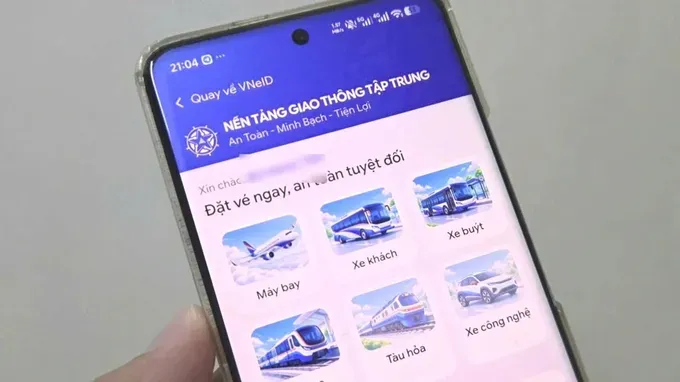
This integration enables citizens to book train tickets directly on the national digital identity platform without installing additional separate applications.
To purchase tickets, passengers must hold a Level-2 electronic identification account (VNeID) and log in successfully on their mobile devices. Leveraging automatic personal identity verification from Level-2 VNeID accounts, the in-app booking procedure is simplified, rapid, and highly secure. The service applies to all railway lines nationwide.
Notably, passengers can purchase tickets for relatives by entering the traveler's personal information. The system supports a "Send ticket via VNeID" feature, allowing electronic tickets to be transferred directly into the recipient's VNeID app (with an option to display or hide the ticket price). Passengers need only access VNeID and tap "Receive Ticket" to board.
Social welfare discount policies for bookings made via VNeID—such as discounts for senior citizens, children, and students—remain fully maintained. Each transaction allows a maximum booking of 10 tickets, which must be paid for within a 10-minute time window. Customers can complete payments using banking applications (via QR code scan), domestic ATM cards, or international payment cards.
Online train ticket booking procedure:
Step 1: Open the VNeID application, enter the keyword "giao" in the search bar, and select "Transport Services."
Step 2: Agree to share personal information and enter the VNeID passcode to access the integrated transport platform.
Step 3: Select "Train" on the service homepage.
Step 4: Choose the departure and arrival stations, the travel date (or activate the "Round Trip" option and select a return date), and the number of passengers.
Step 5: Check departure schedules and available seats, compare fares across different trains, and select the preferred journey.
Step 6: Choose the carriage and preferred seat on the seating map, then select "Continue."
Step 7: Enter the passengers' personal details and contact information accurately.
Step 8: Review all booking details, tick the box agreeing to the terms of service, and complete the payment.
Step 9: Once payment is successful, the electronic ticket will be stored under "My Tickets" and can be presented when boarding the train.